Run the installer. If Windows shows a blue box, hit More info, then Run anyway.
02
Sign in with Riot
Approve the code in your browser. For your first 7 days, everything is unlocked.
03
Pick Hold Tab
Your panels show while you hold Tab, like the scoreboard.
04
Queue up
The app finds your draft and your game on its own.
Champ select
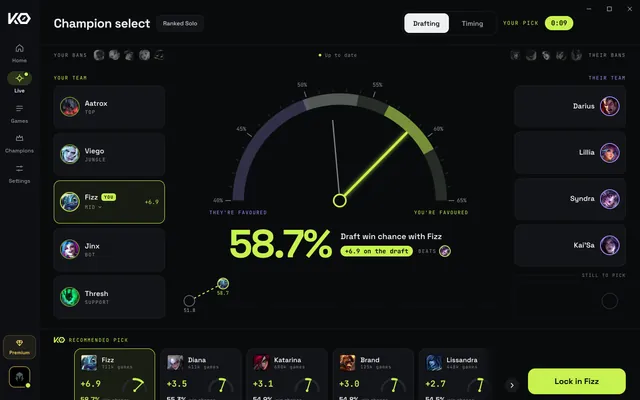
Win the draft
The app jumps to Draft on its own, right next to League.
Sample
Your best champs for this draft
Every champ for your lane, scored against both teams, the bans and your rank. Flip to Who carries to see who wins lane and who ends games early.
Ban what hurts you
The champs that hurt your team most in this draft. Switch to Your lane to ban your counter.
Hover and lock from the app
Click to hover it in the client. Hold to lock in. The app never locks for you.
Runes, items and spells in one click
Press Set in my client, or Import to client for the build. It all goes straight into League.
Runes set before you blink
Turn on Rune Auto-Set in Settings. Lock in and your page is already done.
Builds for your whole team
The app drops one link in champ select chat. Teammates open it on their phone.
In game
Hold Tab. Read. Play.
Every tool is its own panel. Hold Tab to see them, let go to hide them. While you hold Tab you can click a panel; every other click goes to the game.
Sample
01Hold Tab
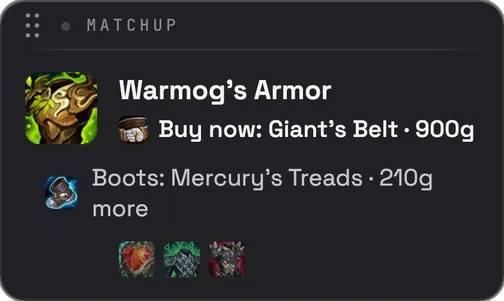
KO Builds
The build that wins. Found by our ML, not by popularity.
It shows the part to buy now, the item it builds into, and the rest of your build as small icons. It has two sources. Matchup is made for this game, against their team. Sleeper is a rare build that wins more than the usual one.
Use it: Hold Tab and click the word at the top, or press Ctrl+Shift+B, to switch for this game. Settings picks which one every game starts with.
Drawing
Skill OrderQPoint ready
02Always on
Skill Order
Never waste a level up.
When you have a skill point, it lights up the skill that ranked players on your champ level first.
Use it: Press the key it shows.
Shows up: On its own. No Tab needed.
Sample
03Hold Tab
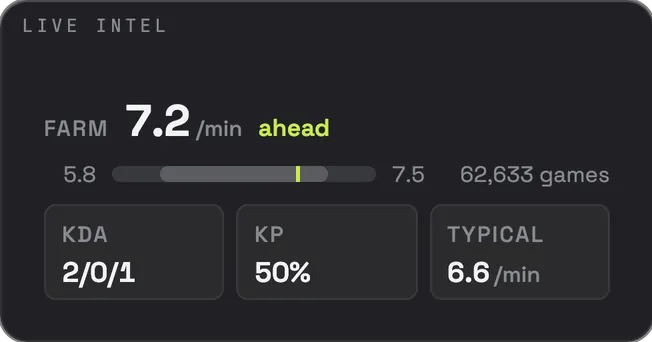
Live Intel
Know if you're winning lane.
Your farm against ranked games on your champ and lane, at this exact minute, at your rank. Plus who's fed on their side and when the next dragon or Baron is coming.
Use it: Behind? Farm up before you fight.
Shows up: From 3:00.
Sample
04Hold Tab
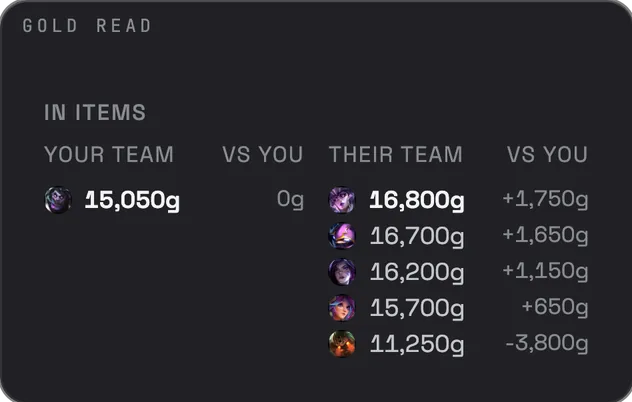
Gold Read
See who's fed.
Every item on the scoreboard, added up for both teams. You see who's ahead of you, and by how much.
Use it: Play around their biggest number.
Sample
05Hold Tab
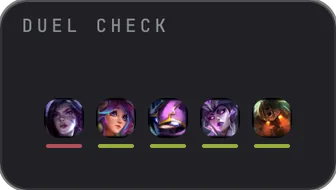
Duel Check
Know the 1v1 before you take it.
It plays out the fight with your stats against each enemy's level and items right now.
Use it: Take the fights marked you win. Walk away if they win.
Sample
06Hold Tab
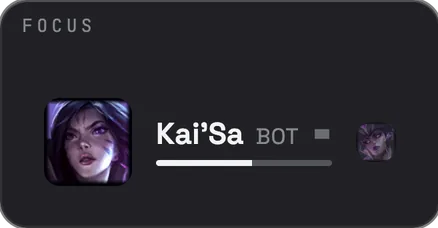
Focus Target
Who you should focus.
It predicts the whole fight and tells you who to focus. When nobody is worth it, it tells you not to fight.
Use it: Focus that champ. When it's not worth it, don't fight.
Sample
07Jungle
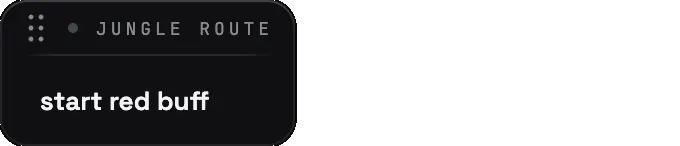
Jungle Route
Start your clear right.
The camp that winning junglers on your champ start their clear on.
Use it: Start there.
Shows up: Jungle games, before your first camp.
Sample
08Off by default
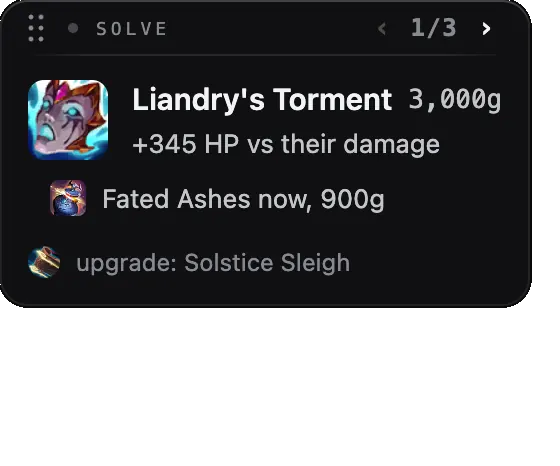
Solve
Pure math. Zero stats.
Solve doesn't use player stats. It takes the game's raw numbers: every ability, every item, every rune, the enemy champions' stats and more. It plays out your fight against their team in real time. Whatever item wins that fight goes on top. That's why it sometimes picks items nobody builds.
Use it: Hold Tab and click the arrows to see its top 3. Short on gold? It shows the part to buy now. When Solve and KO Builds pick the same item, lock it in.
Shows up: Turn it on in Settings.
Your controls
All in the app, under Settings. Panels open where you left them.
Tab
Peek
Hold to show your panels. Let go to hide them.
Ctrl+Shift+A
Cycle
Hidden, on screen, move mode. Set your own key in Settings.
Ctrl+Shift+B
Switch build
Matchup or Sleeper on KO Builds, for this game. Set your own key in Settings.
Move panels
Move
Drag each panel by its top bar, then hit Done.
Pin
Keep one up
Pin a panel in move mode and it stays up all game.
Hold Tab, Always open, Off
Per panel
Pick when each panel opens. Move mode still shows the ones you turned off.
Panel opacity
Fade
See more of the game through your panels. Text stays sharp.
Your items
KO Builds and Solve
Two brains, two panels. You always know which one is talking.
KO Builds
The build that wins. Found by our ML, not by popularity.
KO Builds learns from millions of ranked games and retrains every 6 hours. That's why it's the best. It doesn't copy what everyone builds. Our own model goes through the stats to find the item that actually wins your game at that exact minute, in real time: your champ, your role, your rank when it matters, their comp, your items, their items, your runes, their runes, and much more.
Runs on
Millions of ranked games
Updates
Every 6 hours
Switch
On by default
Use it: Your main build. Follow it in order, or switch to Sleeper for a rare build that wins more.
Solve
Pure math. Zero stats.
Solve doesn't use player stats. It takes the game's raw numbers: every ability, every item, every rune, the enemy champions' stats and more. It plays out your fight against their team in real time. Whatever item wins that fight goes on top. That's why it sometimes picks items nobody builds.
Runs on
The game's own numbers
Updates
Every patch
Switch
Turn it on in Settings
Use it: Hold Tab and click the arrows to see its top 3. Short on gold? It shows the part to buy now. When Solve and KO Builds pick the same item, lock it in.
Plans
Free and Premium
Every feature, both plans. Premium covers every match.
First 7 days
Everything, every match. No card.
Free
Every feature for 2 matches every 24 hours. With ads.
Premium
Every match, no ads. $2.41 a month billed yearly ($28.88), or $3.88 monthly. Card or crypto. Cancel any time.